실시간 알림 기능 구현
전자도서관 개인프로젝트를 진행하는 과정 중 아래와 같은 내용으로
- 책의 반납일자가 임박했을 때 (하루 전)
- 예약한 도서가 대여가능한 상태가 되었을 때
- 반납일자가 지났을때 (연체 시)
사용자에게 실시간으로 알림을 제공하면 더 실제 서비스에 유사하고 사용자 편의성이 높아지지 않을까라는 생각으로 구현을 시작하게 되었다. 실시간 알림을 구현하는 방식은 여러 방식이 있지만 크게 웹소켓(Web Socket)과 SSE방식을 많이 사용하는 것 같다!
Web Socket
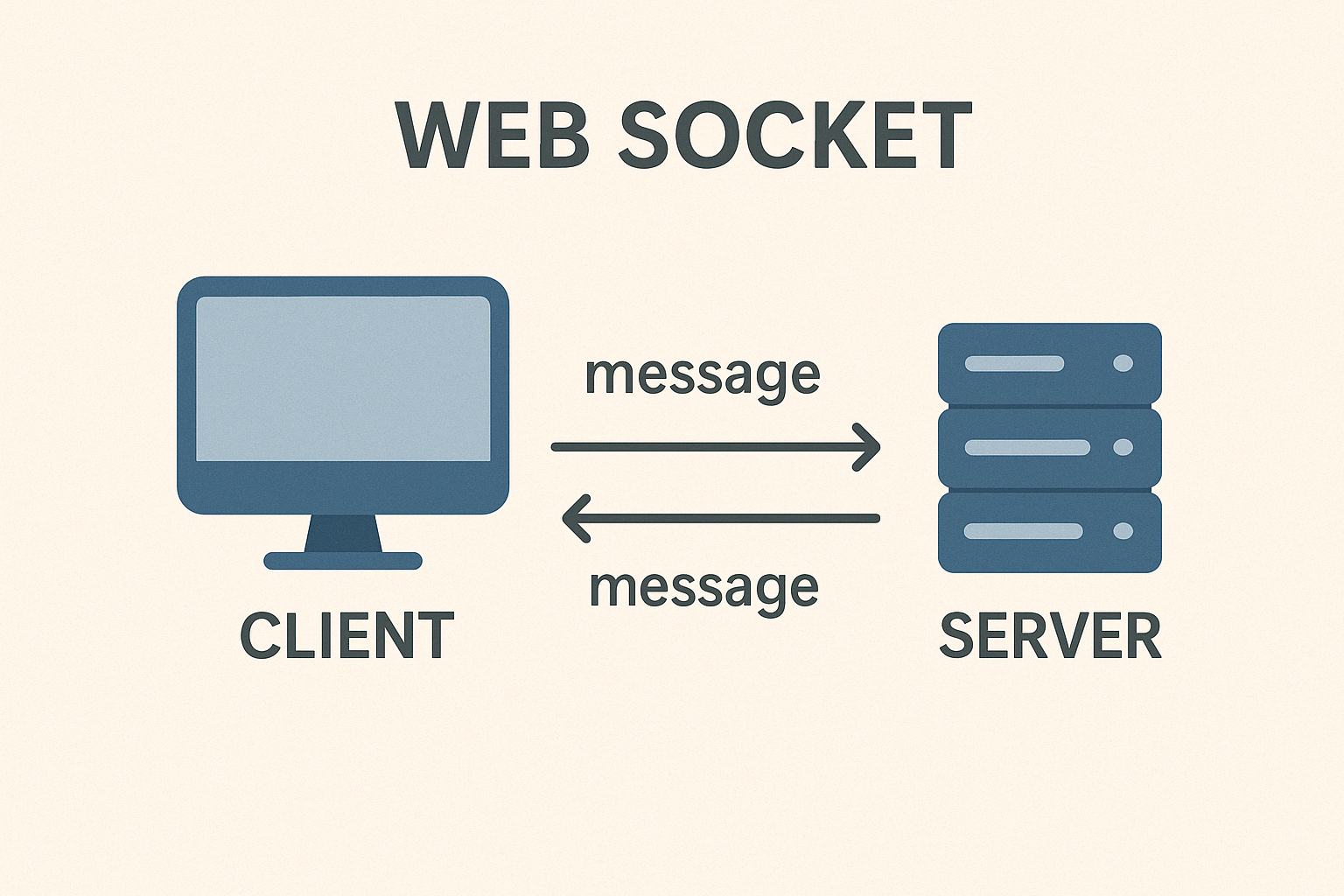
웹 소켓은 클라이언트와 서버의 양방향 통신을 가능하게 해주는 네트워크 프로토콜
HTTP처럼 요청/응답 방식이 아니라 실시간으로 지연 없이 즉시 데이터를 전달 가능하기 때문에 빠르다!
장점
- 양방향 통신으로 클라이언트와 서버가 자유롭게 통신이 가능
- 연결을 유지한 채로 계속 통신할 수 있어서, 실시간 업데이트 가능
단점
- 연결이 계속 유지되기 때문에 ,철저한 세션/토큰 보안 관리 필요
- 클라이언트 수가 많아지면 서버가 동시에 많은 연결을 유지해야 해서 자원 소모가 커짐
이러한 특성으로 실시간 패팅,게임,알림,주식 온라인 협업 도구에 사용된다.
SSE(Server-Sent Events)
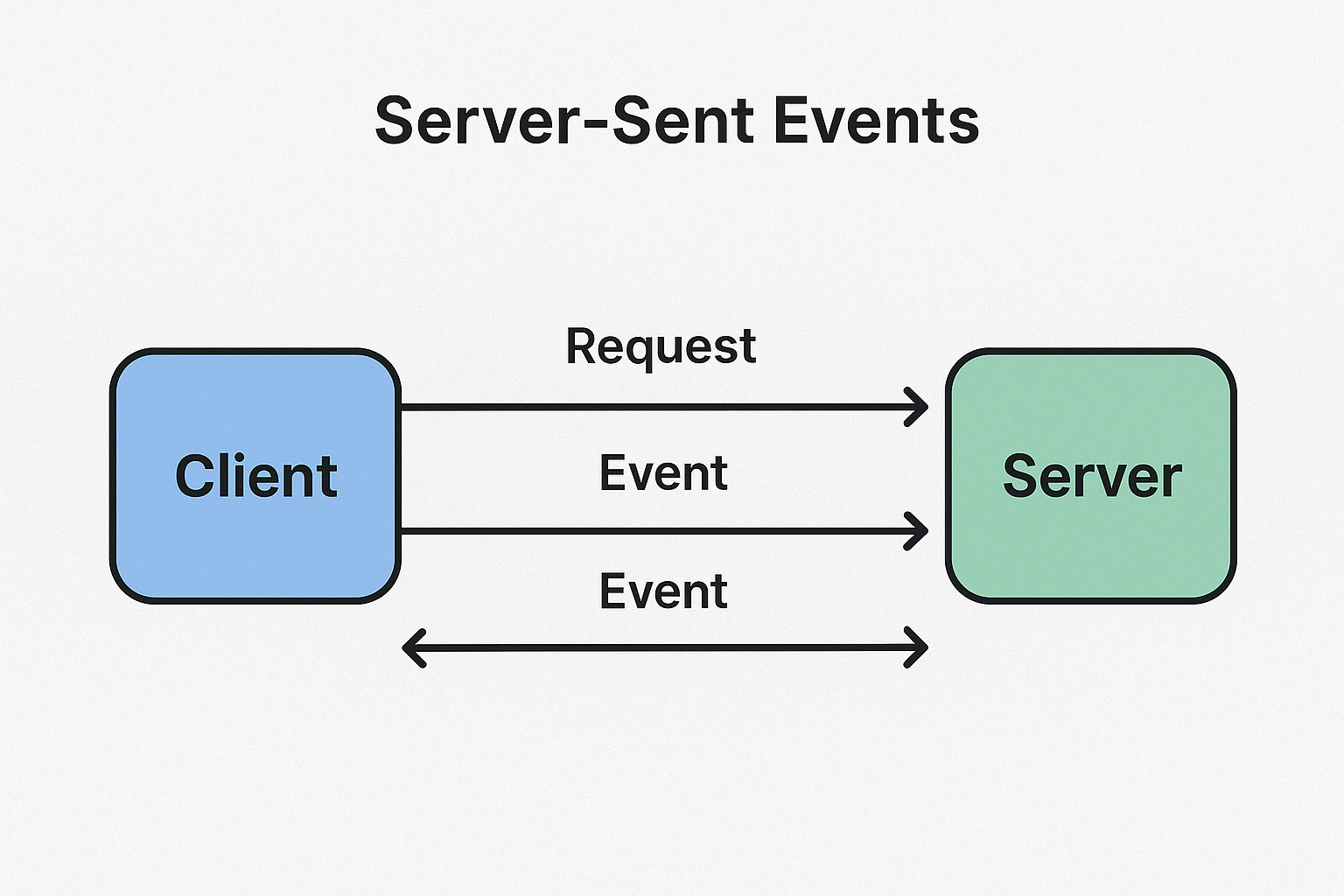
SSE는 서버에서 클라이언트로 데이털르 지속적으로 전송
브라우저가 서버에 요청을 한후 연결을 유지하면서 서버가 데이터를 전송하는 방식
장점
- 연결을 유지한 채로 계속 데이터 전송 가능
- HTTP 기반 보안으로 웹 방화벽, 프락시 통과 등 환경구성에 유리
단점
- 단방향 통신으로 클라이어너트 -> 서버 불가 (별도 요청 필요)
- 연결이 끊겼다가 다시 연결될 경우, 중간 이벤트를 못 받을 수 있어서 Last-Event-ID로 복구 필요
SSE는 알림 서비스,뉴스 속보, 실시간 공지 등에 사용된다.
SSE(Server-Sent Events) 선택
SSE를 선택한 이유는 사용자에게 알림만 전송하고 클라이언트가 서버에 응답을 하지도 않아도 되는 단방향으로 알림을 전송하면 되는
구조라서 SSE가 더 적합했고, SSE는 일반적인 HTTP 연결을 기반으로 하며, 프락시나 방화벽 설정 없이도 잘 동작했다.
간단한 배포 환경을 갖춘 개인 프로젝트에서 사용하기 딱 좋은 조건이었다.
SSE(Server-Sent Events) 구현
NotificationController
@RequiredArgsConstructor
@RestController
public class NotificationController {

    private final NotificationService notificationService;

    @GetMapping(value = "/subscribe", produces = "text/event-stream")
    public SseEmitter subscribe(@AuthenticationPrincipal User user,
                                @RequestHeader(value = "Last-Event-ID", required = false, defaultValue = "") String lastEventId) {
        return notificationService.subscribe(user.getId(), lastEventId);
    }

    @PutMapping("/{notificationId}/mark-as-read")
    public ResponseEntity<?> markNotificationAsRead(@PathVariable Long notificationId,
                                                    @AuthenticationPrincipal User user) {

        boolean updated = notificationService.markNotificationAsRead(notificationId, user.getId());
        return updated ? ResponseEntity.ok().build() : ResponseEntity.notFound().build();
    }
}
- text/event-stream은 SSE 연결을 하기 위해 명시해야하는 타입으로 서버가 클라이언트에게 이벤트 스트림을 전송한다는 것을 명확하게 지정할 때 사용
- 로그인한 사용자에게 알림을 받을 수 있도록 구현하여 인증된 사용자 정보를 가져오기 위해 @AuthenticationPrincipal 사용하여
SpringContext에 저장된 로그인 사용자의 Id 쉽게 사용
- 연결이 끊겼을때 클라이언트가 마지막으로 받은 이벤트 ID로 Last-Event-ID 헤더로 서버 전달되며 서버는 해당 ID이후 알리만 클라이언트에 전송. 알림을 놓치지 않고 이어받기 위해 사용!
Notification
@Getter
@Setter
@NoArgsConstructor
@Entity
public class Notification {

    @Id
    @GeneratedValue(strategy = GenerationType.IDENTITY)
    private Long notificationId;

    @Column(nullable = false)
    private String content;

    @Column(nullable = false)
    private String url;

    @Column(nullable = false)
    private Boolean isRead;

    @Enumerated(EnumType.STRING)
    @Column(nullable = false)
    private NotificationType notificationType;

    @Column(nullable = false)
    private LocalDateTime createdAt = LocalDateTime.now();

    @ManyToOne
    @JoinColumn
    @OnDelete(action = OnDeleteAction.CASCADE)
    private User receiver;

    @Builder
    public Notification(User receiver, NotificationType notificationType, String content, String url, Boolean isRead) {
        this.receiver = receiver;
        this.notificationType = notificationType;
        this.content = content;
        this.url = url;
        this.isRead = isRead;
    }

    public enum NotificationType {
        DUE_SOON,
        AVAILABLE_TO_RENT,
        OVERDUE
    }
}
NotificationService
@RequiredArgsConstructor
@Service
public class NotificationService {

    private static final Long DEFAULT_TIMEOUT = 60L * 1000 * 60;
    private final EmitterRepository emitterRepository;
    private final NotificationRepository notificationRepository;
    private final NotificationMapper mapper;

    public SseEmitter subscribe(Long userId, String lastEventId) {
        String emitterId = userId + "_" + System.currentTimeMillis();
        SseEmitter emitter = emitterRepository.save(emitterId, new SseEmitter(DEFAULT_TIMEOUT));

        emitter.onCompletion(() -> emitterRepository.deleteById(emitterId));
        emitter.onTimeout(() -> emitterRepository.deleteById(emitterId));

        sendToClient(emitter, emitterId, "EventStream Created. [userId=" + userId + "]");

        if (!lastEventId.isEmpty()) {
            Map<String, Object> events = emitterRepository.findAllEventCacheStartWithByUserId(String.valueOf(userId));
            events.entrySet().stream()
                    .filter(entry -> lastEventId.compareTo(entry.getKey()) < 0)
                    .forEach(entry -> sendToClient(emitter, entry.getKey(), entry.getValue()));
        }

        return emitter;
    }

    public void send(User receiver, Notification.NotificationType type, String content, String url) {
        Notification notification = notificationRepository.save(createNotification(receiver, type, content, url));
        String userId = String.valueOf(receiver.getId());

        Map<String, SseEmitter> sseEmitters = emitterRepository.findAllEmitterStartWithByUserId(userId);
        sseEmitters.forEach((key, emitter) -> {
            emitterRepository.saveEventCache(key, notification);
            sendToClient(emitter, key, mapper.NotificationToNotificationResponseDto(notification));
        });
    }

    private void sendToClient(SseEmitter emitter, String emitterId, Object data) {
        try {
            emitter.send(SseEmitter.event().id(emitterId).data(data));
        } catch (IOException e) {
            emitterRepository.deleteById(emitterId);
        }
    }

    public boolean markNotificationAsRead(Long notificationId, Long userId) {
        Notification notification = notificationRepository.findById(notificationId).orElse(null);
        if (notification == null) return false;

        if (!notification.getReceiver().getId().equals(userId)) {
            throw new BusinessLogicException(ExceptionCode.USER_NOT_FOUND);
        }

        notification.setIsRead(true);
        notificationRepository.save(notification);
        return true;
    }

    private Notification createNotification(User receiver, Notification.NotificationType type, String content, String url) {
        return Notification.builder()
                .receiver(receiver)
                .notificationType(type)
                .content(content)
                .url(url)
                .isRead(false)
                .build();
    }
}
- userId와 현재 클라이언트가 수신한 마지막 이벤트 ID인 lastEventId를 받아 처리
- 응답이 정상적으로 연결되었음을 알리기 위해 "EventStream Created"라는 더미 메시지를 최초 한 번 전송한다. 이 응답이 없을 경우, 클라이언트는 연결에 실패하며 503 에러가 발생
- 고유한 emitterId(userId + timestamp 조합)를 생성하고, 해당 ID로 SseEmitter 객체를 저장소에 등록
- 알림을 받을 사용자 객체(receiver), 알림의 유형(notificationType), 알림 내용(content), 클릭 시 이동할 URL(url)을 인자를 바탕으로 엔티티를 생성하고 DB에 저장해 해당 사용자와 연결된 모든 emitter를 찾아 알림 전송
EmitterRepositoryImpl
@Repository
@NoArgsConstructor
public class EmitterRepositoryImpl implements EmitterRepository {

    private final Map<String, SseEmitter> emitters = new ConcurrentHashMap<>();
    private final Map<String, Object> eventCache = new ConcurrentHashMap<>();

    @Override
    public SseEmitter save(String emitterId, SseEmitter sseEmitter) {
        emitters.put(emitterId, sseEmitter);
        return sseEmitter;
    }

    @Override
    public void saveEventCache(String eventCacheId, Object event) {
        eventCache.put(eventCacheId, event);
    }

    @Override
    public Map<String, SseEmitter> findAllEmitterStartWithByUserId(String userId) {
        return emitters.entrySet().stream()
                .filter(entry -> entry.getKey().startsWith(userId))
                .collect(Collectors.toMap(Map.Entry::getKey, Map.Entry::getValue));
    }

    @Override
    public Map<String, Object> findAllEventCacheStartWithByUserId(String userId) {
        return eventCache.entrySet().stream()
                .filter(entry -> entry.getKey().startsWith(userId))
                .collect(Collectors.toMap(Map.Entry::getKey, Map.Entry::getValue));
    }

    @Override
    public void deleteById(String id) {
        emitters.remove(id);
    }

    @Override
    public void deleteAllEmitterStartWithId(String userId) {
        emitters.keySet().removeIf(key -> key.startsWith(userId));
    }

    @Override
    public void deleteAllEventCacheStartWithId(String userId) {
        eventCache.keySet().removeIf(key -> key.startsWith(userId));
    }
}
- EmitterRepositoryImpl는 SSE 연결을 위해 클라이언트와 서버 간의 SseEmitter를 메모리에서 관리하는 저장소
- save : 클라이언트가 SSE 연결을 요청할 때 생성된 emitter를 저장
- saveEventCache : 클라이언트에게 보낸 알림을 eventCache라는 별도의 메모리 공간에 저장하고 SSE 연결이 끊겼다가 재연결되었을 때, Last-Event-ID를 기준으로 이전 이벤트들을 찾아 재전송
- findAllEmitterStartWithByUserId : 사용자의 ID로 시작하는 emitter조회
- findAllEventCacheStartWithByUserId : 재연결 시 Last-Event-ID 이후의 데이터만 전송하기 위해 필요한 전처리
- deleteById : emitter ID를 키로 하여 해당 emitter를 emitters 맵에서 제거
- deleteAllEmitterStartWithId : 특정 사용자의 ID로 시작하는 emitter들을 모두 삭제
- deleteAllEventCacheStartWithId : 특정 사용자의 이벤트 캐시를 전부 삭제
Postman 연결 테스트

마지막으로
SSE(Server-Sent Events)를 직접 구현하면서 단순하겠지라고 생각했지만 클라이언트와 서버 간의 연결을 얼마나 유지할 것인지,
비정상적으로 종료되었을때의 처리 등 꼼꼼하게 설계하고 구현이 필요하다고 느꼈다.
특히 클라이언트 측에서의 재연결(Last-Event-ID)과 서버 측의 이벤트 캐시 저장 로직은 필수적인 부분이었고, 이를 EmitterRepository를 활용해 잘 분리함으로써 코드의 응집도를 높이고 유지보수성 높여 구현했다.
처음에는 단순한 학습용 기능이라고 생각했지만, emitter 관리 방식은 실무에서도 충분히 응용 가능한 구조라고 느꼈다! 무엇보다 SSE는 WebSocket에 비해 훨씬 가볍고 HTTP 기반으로 작동하기 때문에, 실시간성이 강하지 않은 대부분의 알림 시스템에는 더 적합하다는 점도 알게 되었고 이번 경험을 바탕으로 향후 실시간 처리 시스템을 설계할 때, SSE와 WebSocket을 어떤 기준으로 선택할 것인지, 알림 저장/전송 구조를 어떻게 효율적으로 분리할 것인지에 대한 기준이 더 명확해 진 것 같다!
여기에서 더 고도화 하기 위해 Redis Pub/Sub이나 Kafka 등을 붙여서 분산 환경에서도 안정적인 SSE 알림 시스템으로 확장해 보는 것도 좋은 공부가 될 것 같다!😉